Settings (Tax/Service)
From here you configure the bill calculations (tax and service), the restaurant details, the currency and time zone, and the restaurant screen codes. This is where you control how every bill that goes to the customer looks.
You'll find all of this in admin panel ← Settings.
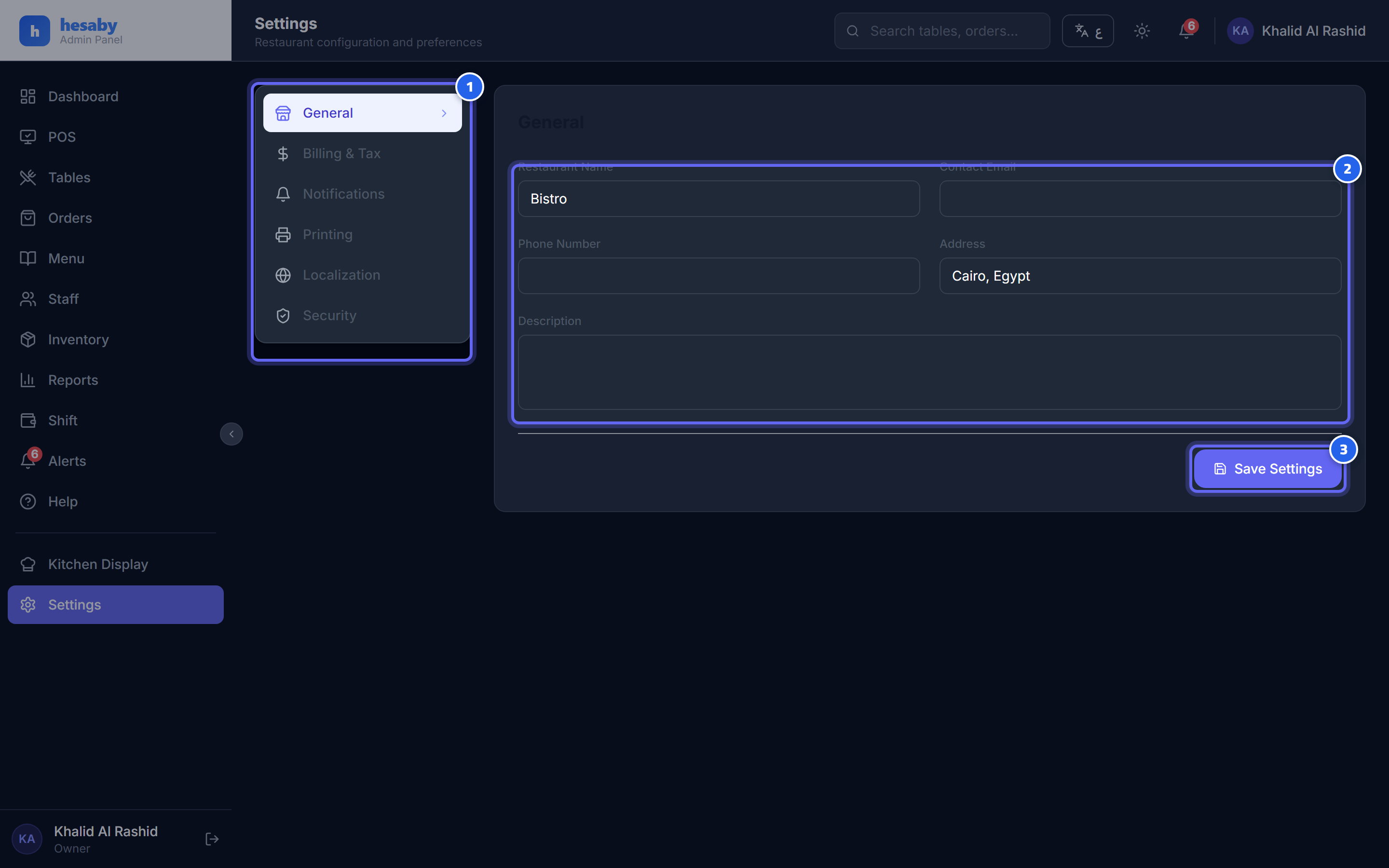
- Settings sections: billing and taxes, printing, security…
- The restaurant details that appear on the receipt
- Click "Save Settings" after any change
Who is allowed to change the settings?
Editing the settings is available to the Owner and the Admin only. The rest of the staff (manager/cashier/kitchen) may have the system read from them (such as the service charge), but they cannot change them.
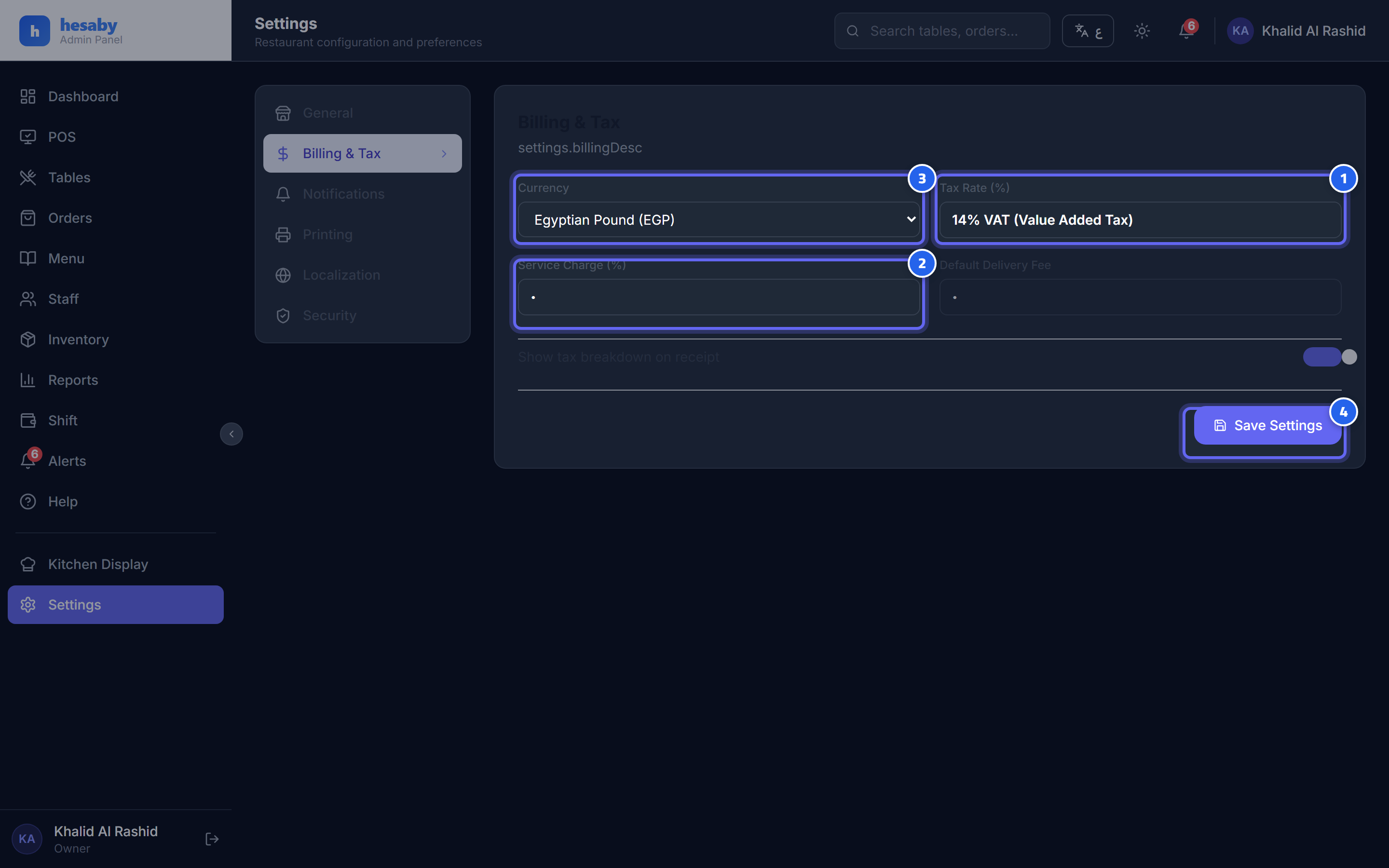
- VAT is fixed at 14% — it does not change
- Service charge % — you can set it from 0 to 30
- Currency (Egyptian pound by default)
- Click "Save Settings" after editing
Tax and service
| Setting | Editable? | Details |
|---|---|---|
| VAT | ❌ Fixed at 14% | Locked at 14% per Egyptian law — you cannot change it from the interface. |
| Service charge % | ✅ From 0% to 30% | Calculated on the items total before tax. |
| Currency | ✅ | The default is the Egyptian pound (EGP). |
| Time zone | ✅ | The default is Cairo time — important so that reports and the Z-report fall on the correct day. |
💡 Tip: Menu prices are tax-exclusive; the system adds the tax (14%) and the service charge to the bill automatically.
⚠️ Warning: The service charge is frozen on the order when it is opened. This means if you change the percentage now, orders opened before then keep their old percentage — the change applies only to new orders.
Restaurant details and the receipt
- Restaurant name, address, phone, email — appear on the receipt.
- Receipt footer text — a thank-you message printed at the bottom of the bill.
- Show tax on the receipt and print the kitchen ticket — turn them on/off as you need.
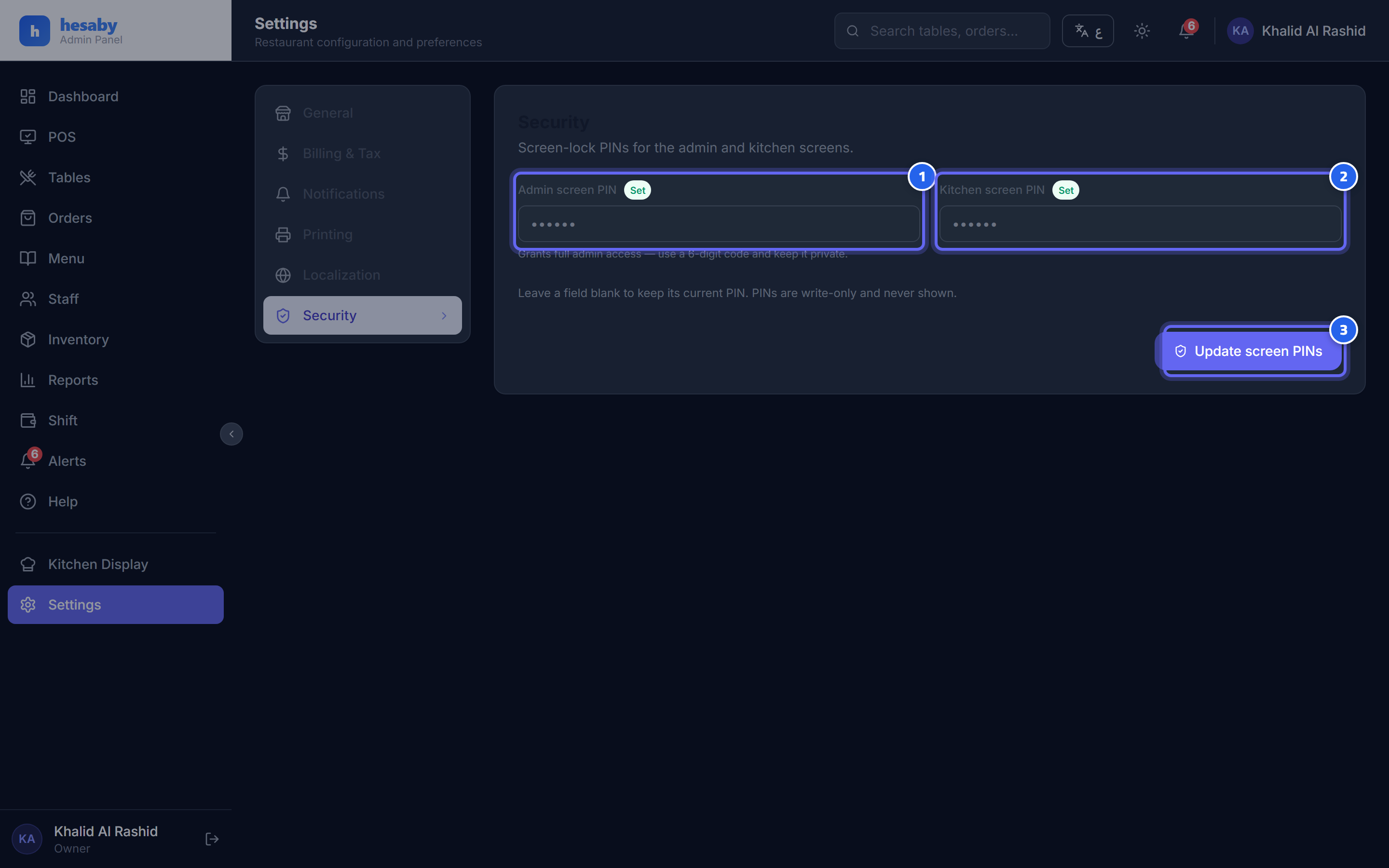
- The admin screen code (admin panel)
- The kitchen screen code
- Type the new code and click "Update Lock Numbers" — leave it blank to keep it as it is
Restaurant screen codes
From the same page you can set the admin screen code (admin panel) and the kitchen screen code:
- Type the new code in the field for the screen you want.
- If you leave the field blank, the old code stays as it is (it is not erased).
- Save.
🔒 Security: Change the default codes as soon as you start the system. Codes are stored encrypted and do not appear again on screen — if you forget one, create a new one. And any change to the admin code is logged in the alerts with who made it.
Next: Setting Up Tables