Z-report and Cash Reconciliation
The Z-report summarizes each work shift and helps you reconcile the cash in the drawer.
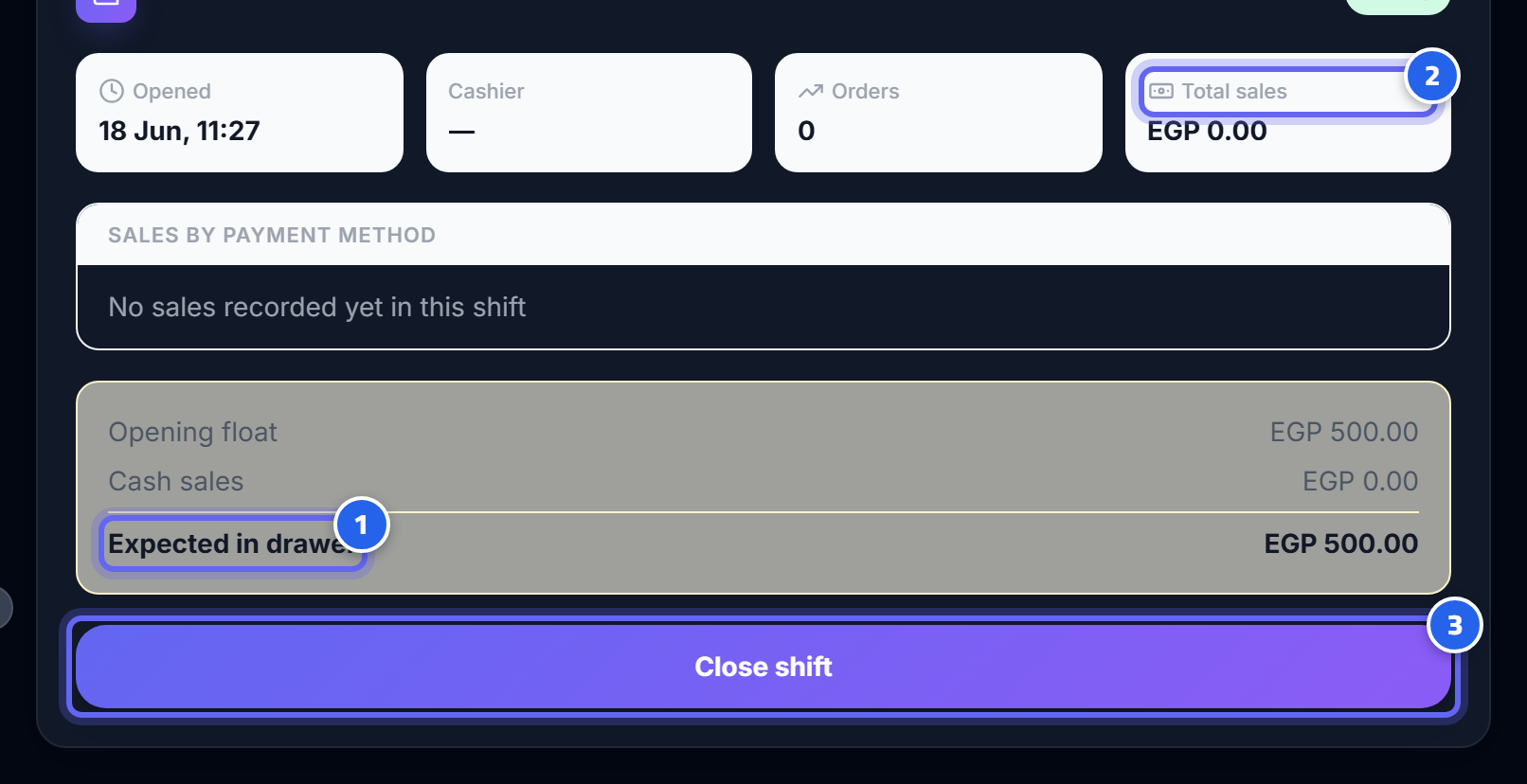
- The expected cash in the drawer that you compare against
- Total shift sales: cash, card, and QR
- The open/close shift button that produces the Z-report
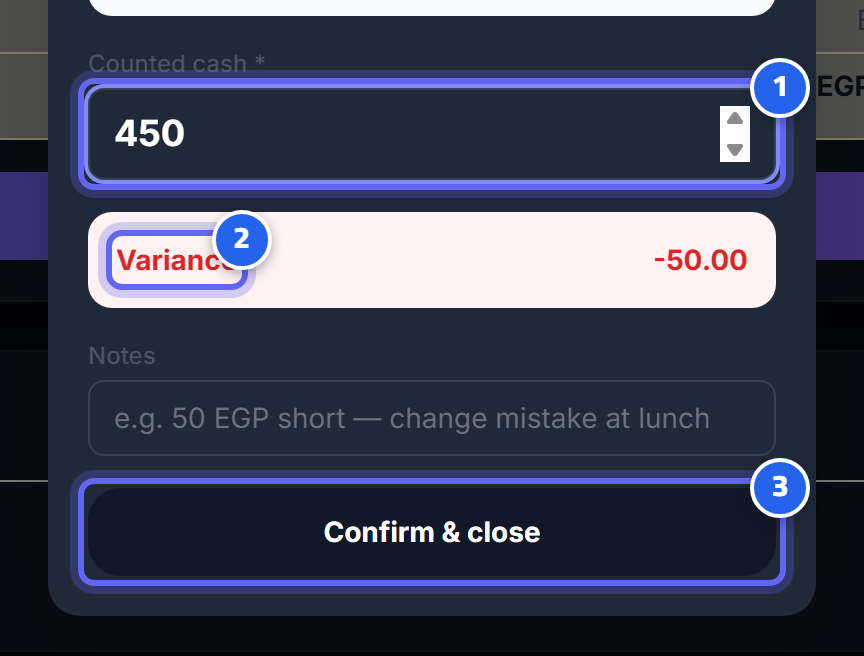
- Enter the actual cash in the drawer
- Compare expected with actual — the difference appears here
- Close the shift and print the Z-report
Opening and closing a shift
- Open a shift at the start of the day/shift.
- Close it at the end → the system produces a Z-report.
The Z-report shows:
- Total sales for the shift (cash/card/QR broken out separately).
- The expected cash in the drawer, attributed to each cashier.
- Tips.
Cash reconciliation
Compare the actual cash in the drawer with the expected amount in the report → any difference appears immediately (over/short).
This is your most important daily tool for preventing cash leakage and knowing who is responsible for each shift.
Next: Loss prevention