Takeaway and Delivery Orders
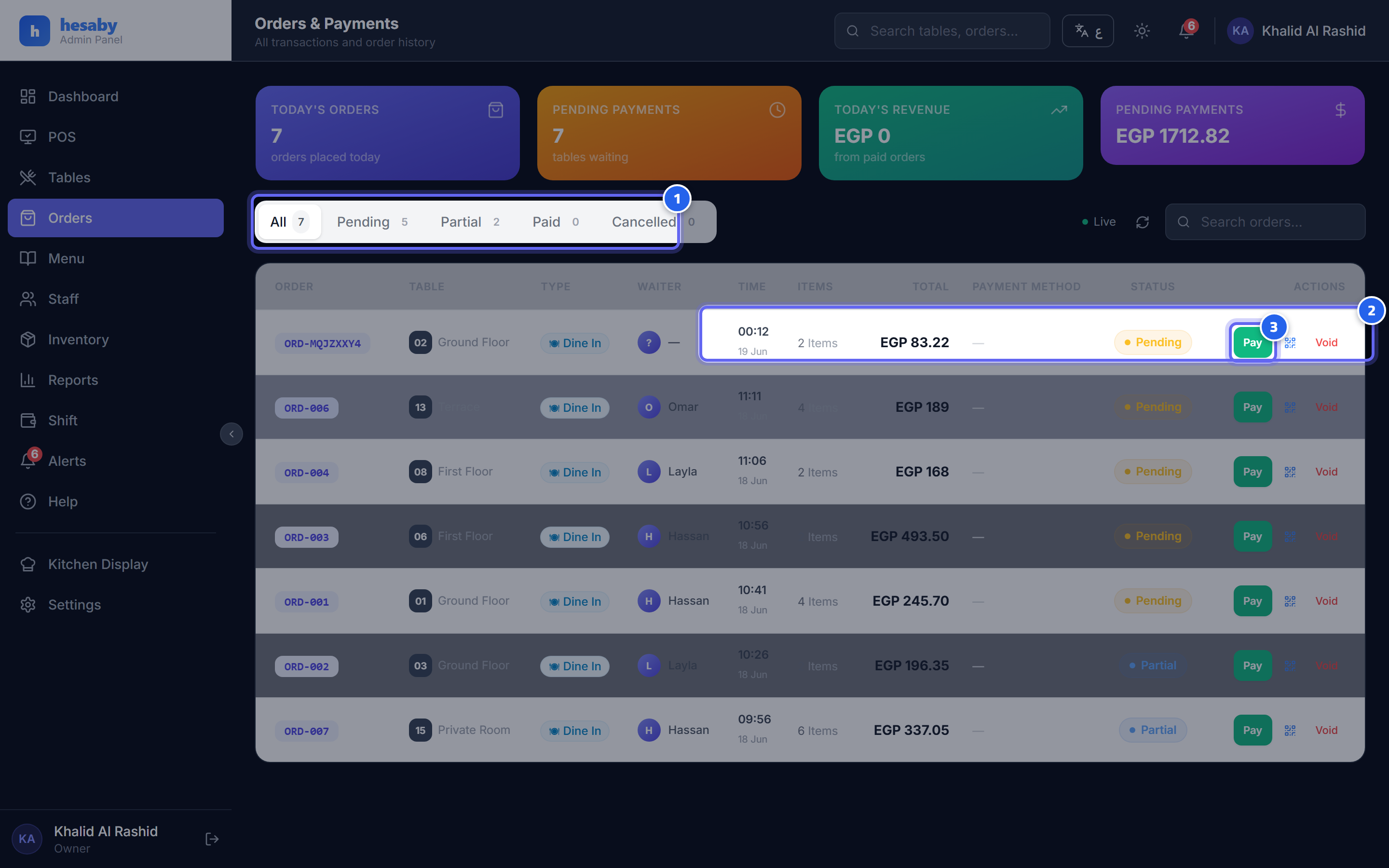
- Order status filters: all, pending, paid, cancelled
- Each order shows its status and total
- The "Pay" button: close the order with payment when it's done
Takeaway
An order without a table. Add items just like a dine-in order, and close it with payment. It can be paid in advance.
Delivery
- Create a delivery order and enter the customer details: name, phone, address, area, delivery fee.
- Add the items and save.
- Assign a driver to the order.
- Track the delivery status: new → assigned → out for delivery → delivered / failed.
The Driver
The driver sees their orders in the driver app and updates the status from there.
Privacy Note
Delivery customer data (name/phone/address) is deleted automatically after the retention period (12 months by default) — while the order and payment record are kept. See Privacy.
Next: Editing an Order