What is Hesaby? An overview
Hesaby is an all-in-one system for managing restaurants and cafés — from taking the order all the way to payment, reports, and inventory. It works in Arabic and runs on any device with a browser (tablet, laptop, phone).
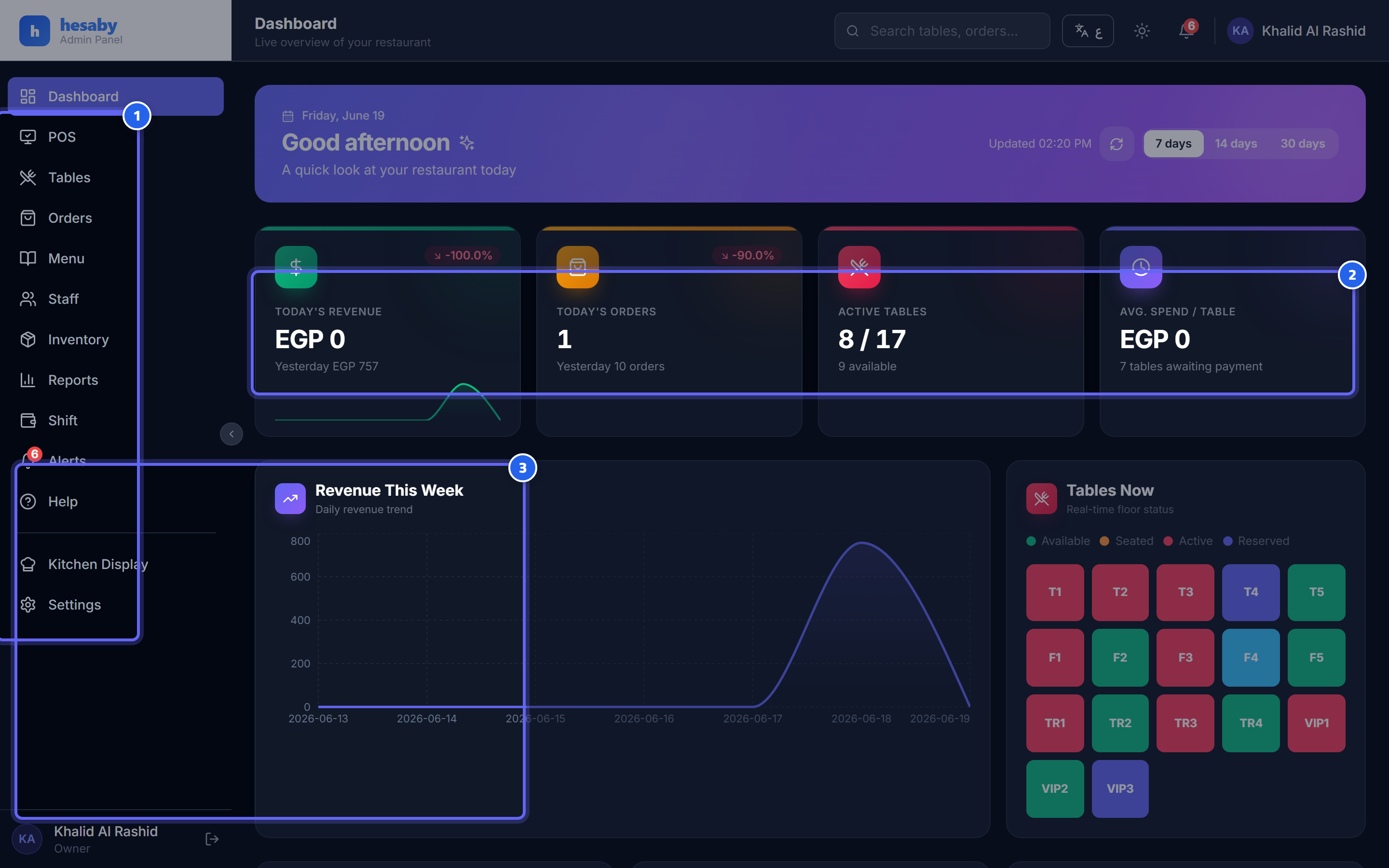
- Navigation menu: Menu, Tables, Staff, Reports, Inventory
- Quick-view cards: today's orders, revenue, and tables
- The daily revenue trend shows how your restaurant is performing day by day
The system is made up of parts that work together:
| Part | For whom | What it does |
|---|---|---|
| Admin panel | Owner / Manager | Menu, tables, staff, settings, reports, inventory |
| Waiter app | Waiters | Open a table, add items, send to the kitchen, edit the order |
| Kitchen Display System (KDS) | Kitchen | Show orders in real time, mark items "cooking/ready" |
| Customer page (QR) | Guest | Scan the table's code → see the menu → order → pay from their phone |
| Driver app | Drivers | Delivery orders and updating their status |
Key features:
- 🍽️ Dine-in + takeaway + delivery orders in one place.
- 💳 Flexible payment: cash, card, QR at the table, bill splitting, tips, partial payment.
- 👨🍳 Real-time Kitchen Display System that connects the waiter to the kitchen instantly.
- 📋 Advanced menu: sizes, modifiers, availability scheduling, recipes linked to inventory for cost calculation.
- 🛒 Full inventory: levels, stock counts, purchase orders, food cost by weighted average.
- 🤖 AI menu assistant: the guest asks about the menu, prices, and recommendations and gets an instant reply.
- 📊 Reports and sales + a Z-report (shift report) + loss-prevention reports (void/comp).
- 🔒 Security and auditing: roles and permissions, manager approval for sensitive operations, a permanent audit log.
- 🇪🇬 Fully localized: Arabic/English, VAT, Cairo time zone, Egyptian pound.
Next step:
If you're an owner setting up the system for the first time → read Setting up your restaurant for the first time.