Seating, Transfers, Cleaning, and Force-Close
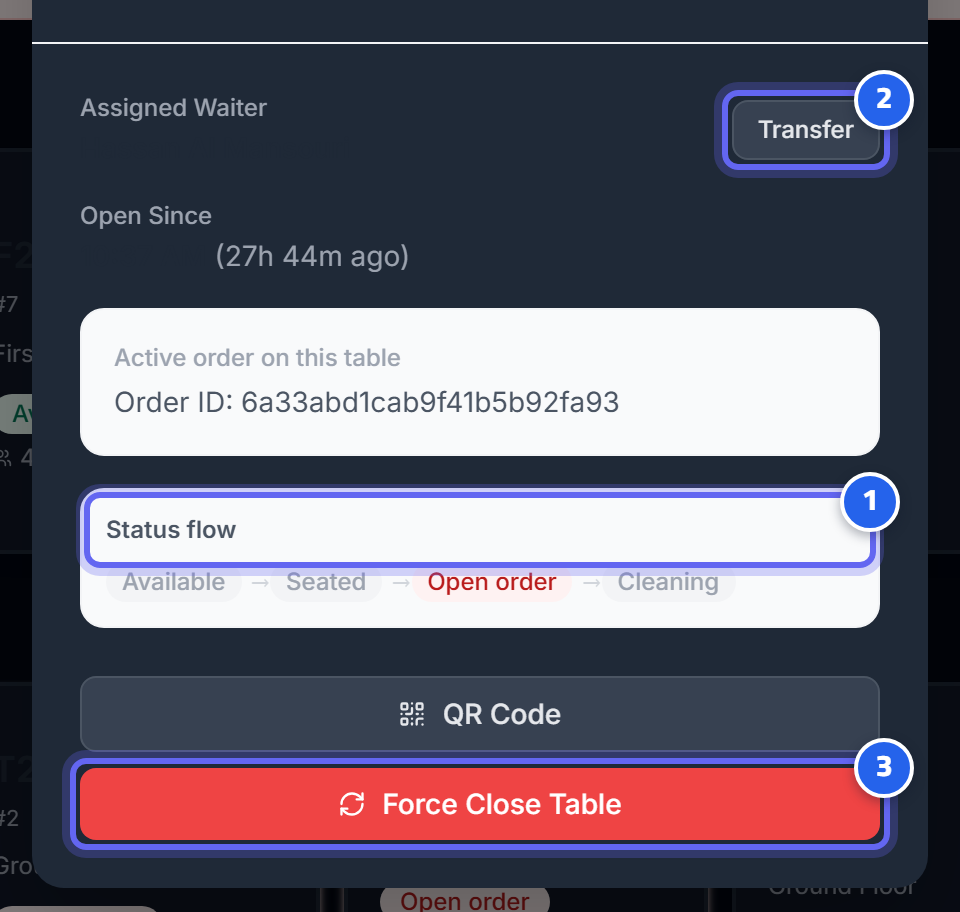
- The table status moves through: available → seated → open order → cleaning
- Transfer the table to another waiter
- The buttons change with the status (here: force-close the table)
Seat
Set an available table to seated, and assign the waiter and the number of guests.
Transfer order
If guests move: transfer the order from the current table to an available table. The system moves the entire order safely and frees the old table — and it won't allow a transfer onto an occupied table.
Transfer waiter
Change the waiter responsible for a table (this is recorded in the transfer log).
Reserve
Reserve an available table for a set time; the reservation expires automatically after a timeout if it isn't confirmed.
Clean-done
After the table is cleaned, set it back to available.
Force-close — for managers
This voids all open orders on the table and sets it back to available. If an order was partially/fully paid, the system records a refund plus an audit row. (Available to the owner/manager/cashier only.)
Next: Taking Orders