Setting Up Inventory Items
Inventory tracks raw ingredients (flour, milk, meat…) so you know quantities and costs and can prevent stockouts.
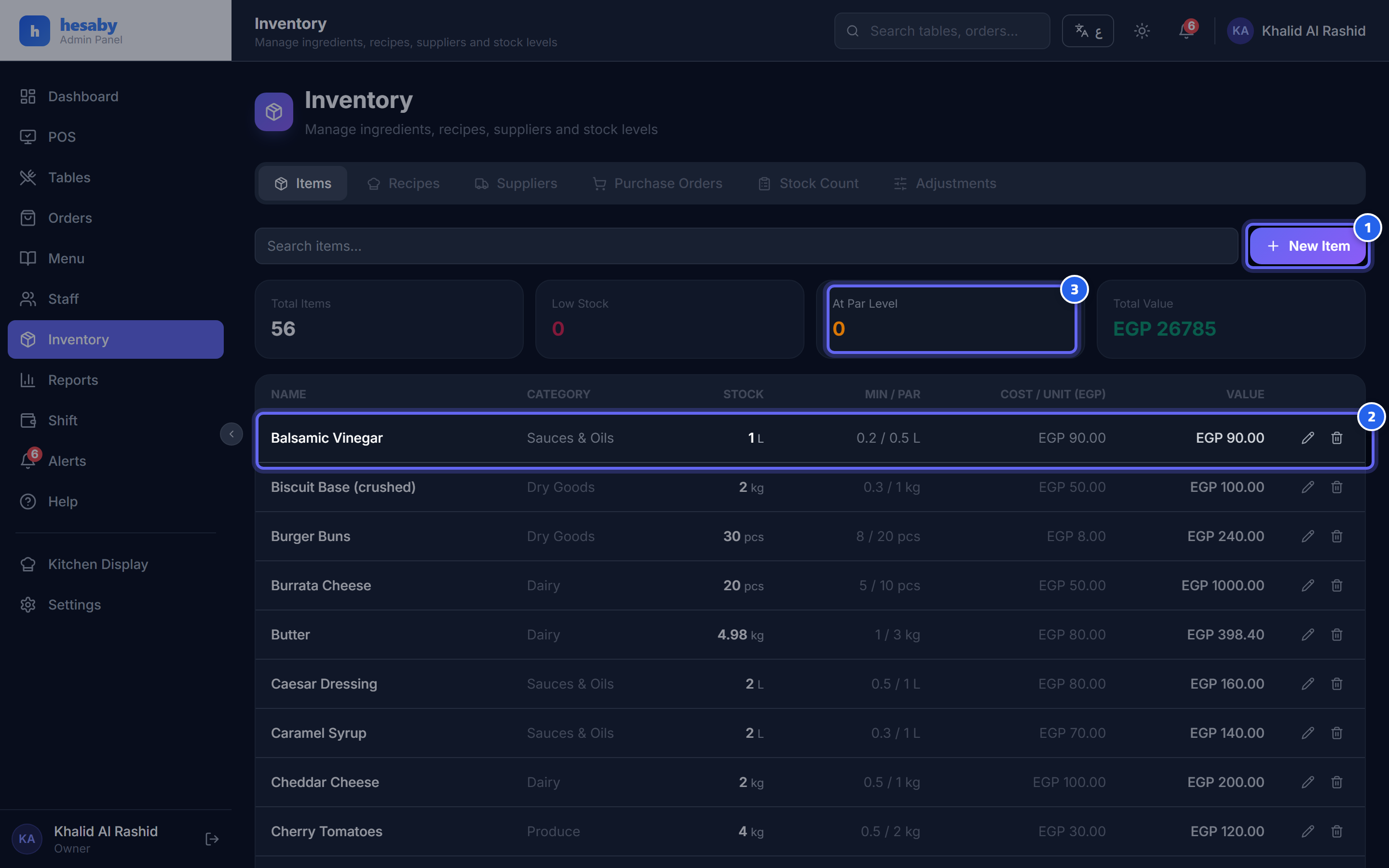
- The "New Material" button to add a new ingredient to inventory
- Each row: the item, its category, and current balance with quantity, unit, and cost
- The "At reorder level" indicator: items that are running low
Adding an inventory item
- Admin Panel → Inventory → Add Item.
- Enter the name and the storage unit (kilogram, liter, piece…).
- Set the supplier and unit cost (optional — it updates automatically from purchase orders).
- Set the alert levels: minimum / maximum / par.
Levels
The system tracks the current balance of each item. When it drops below the minimum, that's a signal it needs reordering.
Linking to the menu
Link inventory items to recipes so they are deducted automatically with every sale and you know your food cost.
Next: Stock count