Gift Cards & Store Credit
Gift cards and store credit are two types of stored money the customer pays with. Both are deducted from the bill after tax, so they're useful when you want to sell gift cards or refund a customer as credit they can use later.
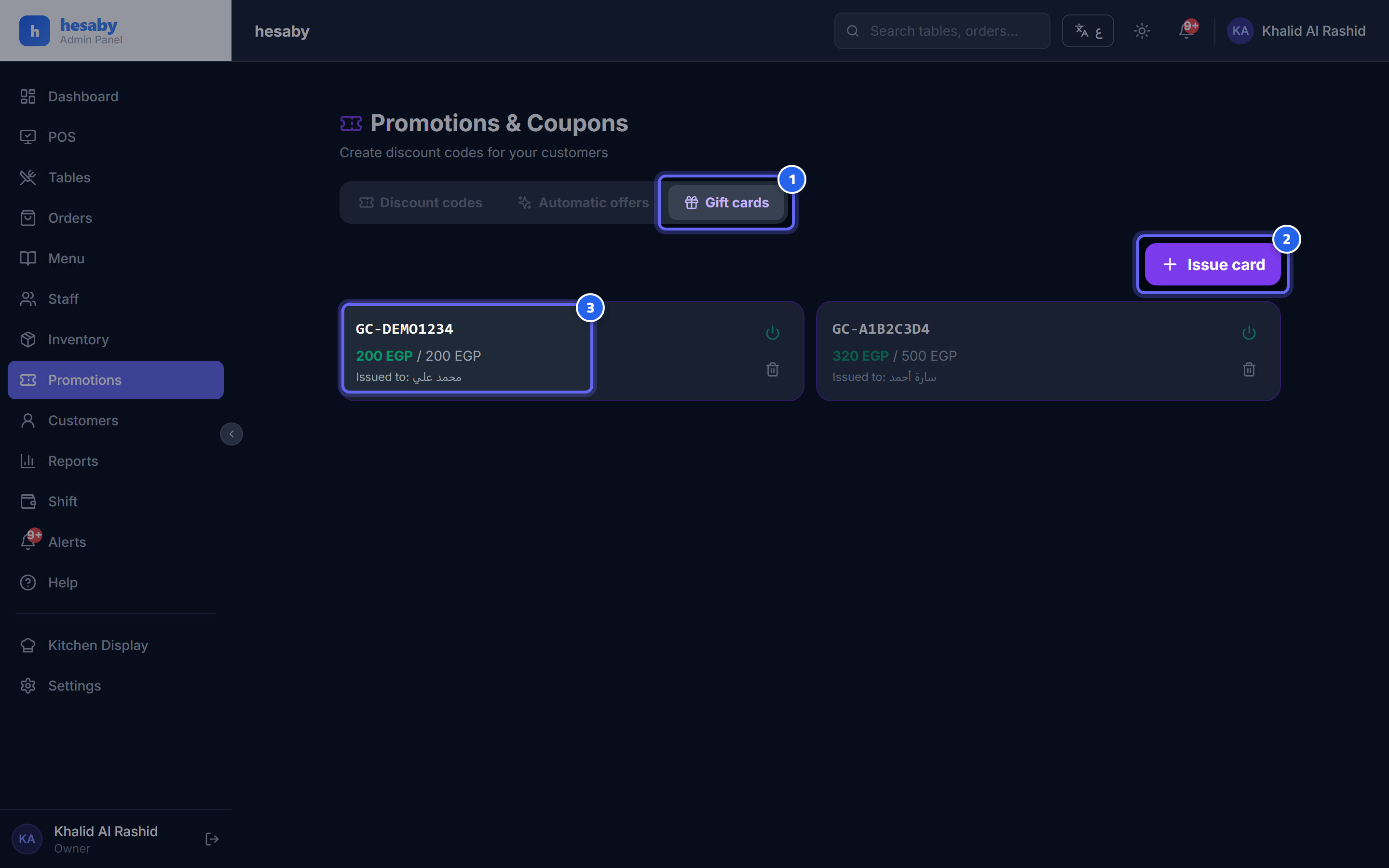
- Gift cards tab
- "Issue card" button with a value and code
- The card: the code and the remaining / original balance
Issue a gift card
- Promotions & Coupons → Gift cards tab.
- Click Issue card.
- Enter the details per the table below, then save.
| Field | Description |
|---|---|
| Value | The card's balance in money |
| Code | If left empty, it's generated automatically in the form GC-XXXXXXXX |
| Issued to | The name of the person the card was created for (optional) |
| Expiry date | The card's validity date (optional) |
💡 You can disable or delete any card from the same page, using the activate/delete button on the card.
Using the card at the cashier
- From POS, go to the gift card field.
- Enter the code.
- The balance is deducted from the amount due (after tax).
If the card's balance is less than the bill, the remainder is paid by cash or a regular card.
Adding store credit
From the Customers page → open the customer's card → click Adjust store credit and increase (+) or decrease (−) the balance — for example, when you refund an amount to a customer.
Using store credit
- From POS, search for the customer by phone number.
- A Use store credit option will appear.
- Enable it, and the balance is deducted from the bill.
⚠️ Note: gift cards and store credit = real money that is deducted after tax (not a price discount like a coupon), and it's automatically restored to its balance if the order is canceled. Issuing cards and adjusting balances is available to the owner/admin/manager only.