Marking items "cooking/ready" and handling overdue orders
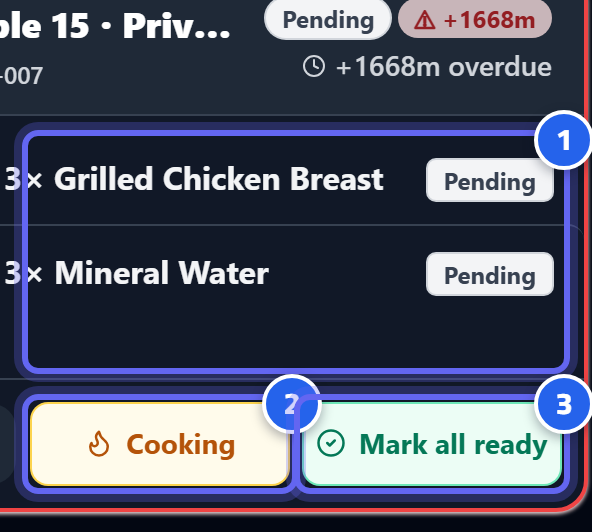
- The status of each item: "pending" means it hasn't started yet
- Tap "Cooking" when you start preparing the item
- "Ready" when it's done — the item is passed to service
Item statuses
Each item on the ticket goes through 3 statuses — tap it to move it along: 1. Pending — not started yet. 2. Cooking — the kitchen is working on it. 3. Ready — done, the waiter takes it.
Once all items are "ready", the ticket closes automatically.
Overdue orders
Orders flagged as priority/urgent appear first and are highlighted in a distinct color — so they're prepared ahead of the rest.
Tip
Mark an item "cooking" the moment you actually start it — that way the waiter and management can see the real preparation time in the reports.
Next: Cash payments