Using the Kitchen Display System (KDS)
The Kitchen Display System shows orders in real time the moment a waiter sends them — no paper, no delays.
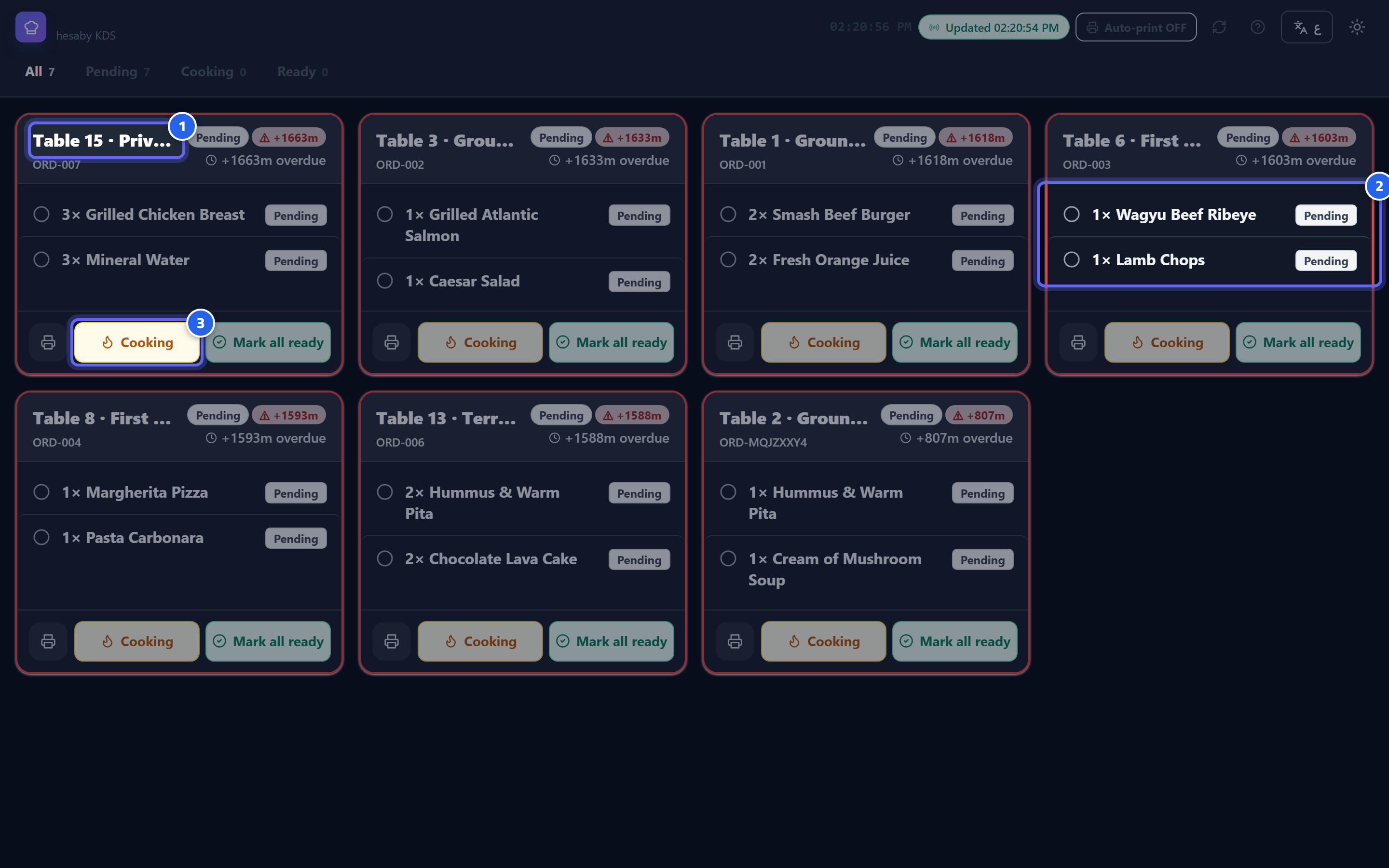
- Order ticket: order number and table
- Items, quantities, and notes
- Tap an item to move it: pending → cooking → ready
- Overdue orders in a distinct color with the waiting time
Each ticket shows:
- The order number and table.
- Items and quantities plus any notes (for example, "no onions").
- Allergens if specified.
- An urgent/priority flag if the order is rushed.
Opening
The Kitchen Display System opens with a screen code (see Logging in). Keep it on a tablet or screen in the kitchen.
Real time
Any new order or change appears instantly. And if a waiter voids an item, you receive a stop alert so you can halt its preparation immediately.