Loyalty Points
The Loyalty points program lets customers earn points on everything they spend with you, then redeem them later as a discount on their orders. This encourages customers to come back again and spend more.
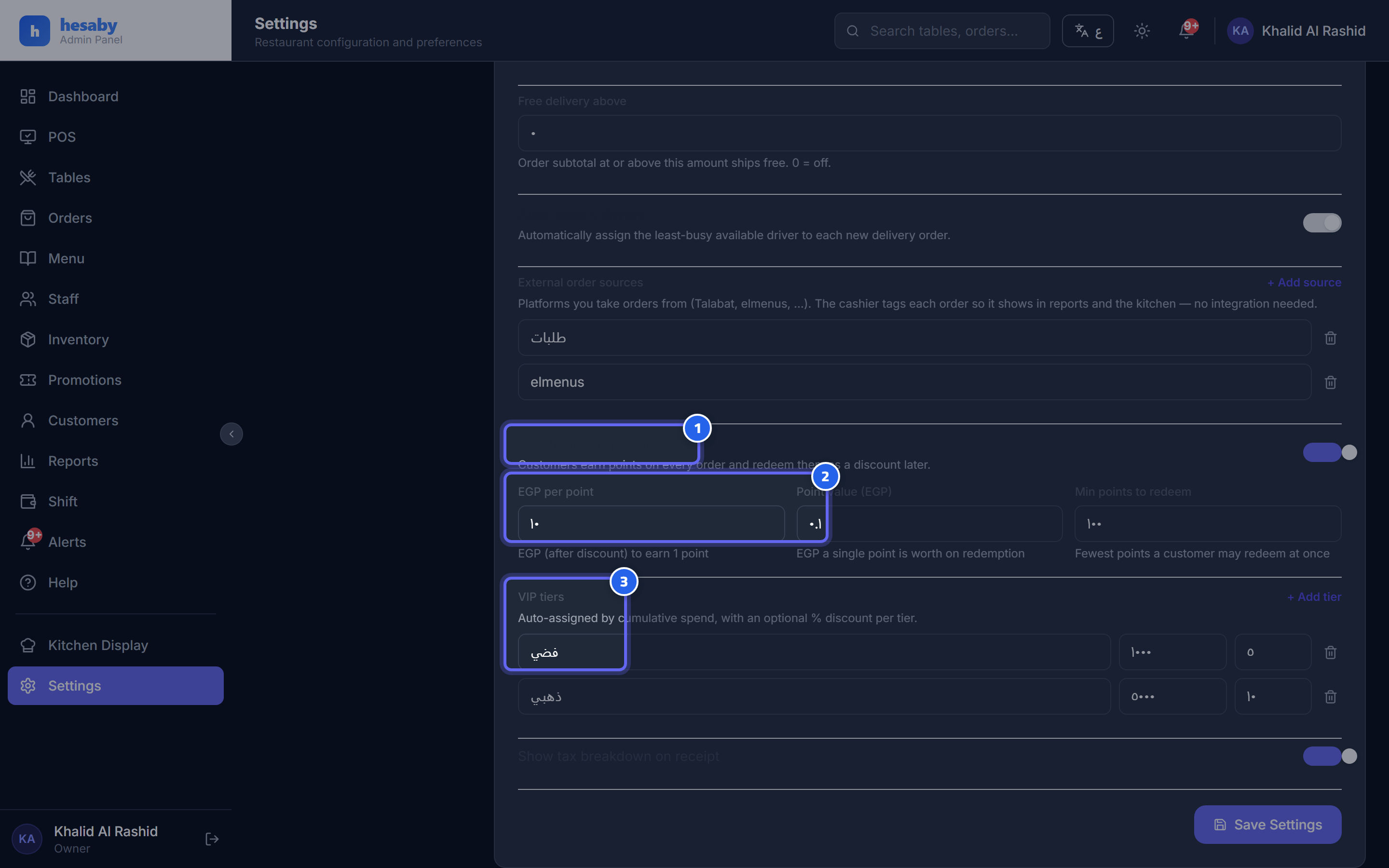
- Toggle to enable the Loyalty points program
- Earn rate, point value, and minimum points to redeem
- VIP tiers editor: name, minimum spend, and discount %
Enabling the system and settings
- Go to Admin Panel → Settings → Billing & Tax section.
- Turn on the "Loyalty points program" toggle.
- Adjust the settings according to this table:
| Setting | What it means | Example |
|---|---|---|
| EGP per point | How many EGP of spending = one point | 10 |
| Point value (EGP) | The value of a single point when redeemed | 0.1 |
| Min points to redeem | The minimum balance a customer must reach before they can redeem | 100 |
Earning points (automatic)
When the cashier enters the customer's phone number on the order, the customer is registered automatically and earns points based on their order value.
💡 Earning is calculated on the amount after the discount, not before it.
Redeeming points (cashier)
- From the POS, open the "Loyalty points program" section (it appears when the system is enabled).
- Enter the customer's phone number — their name and points balance will appear.
- Enter the number of points you want to redeem, or tap "All".
- The discount will appear in the total.
⚠️ Note: The customer's balance must be above the minimum points to redeem; otherwise they will not be able to redeem.
Adjusting points manually
If you need to add or subtract points for a customer, go to the "Customers" → customer card → "Adjust points" page (+/−). This is available only to the owner, admin, and manager.
💡 Points are returned automatically if an order is cancelled. For delivery, the system automatically uses the delivery phone number.