Customer Profiles (CRM)
Customer profiles are your customer database that builds itself automatically. Every time you receive an order, the system saves the customer's details and accumulates data on them, so you know who your repeat customers are and can reach out to them properly.
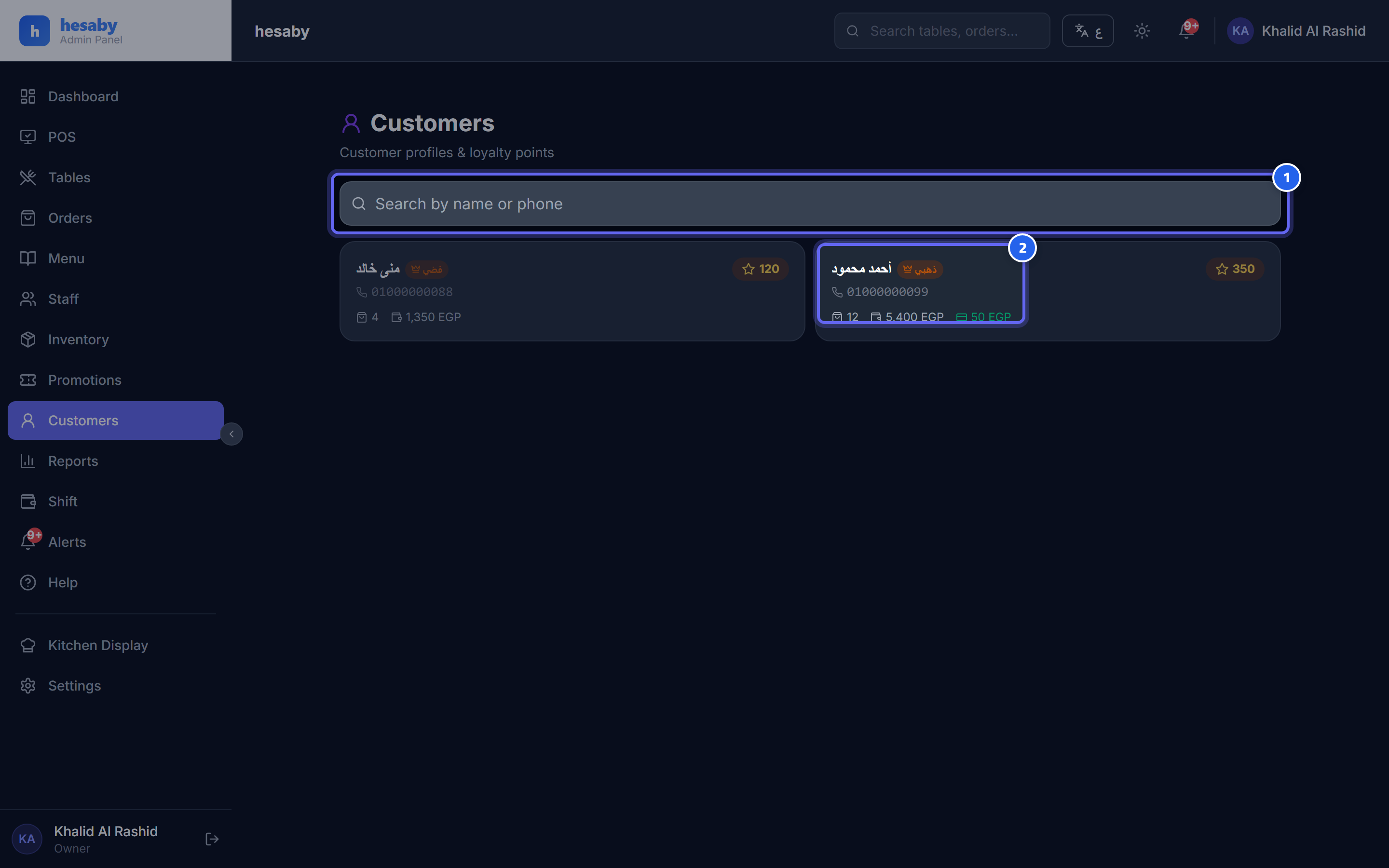
- Search for a customer by name or phone number
- Customer card: points, tier badge 👑, orders, and spending
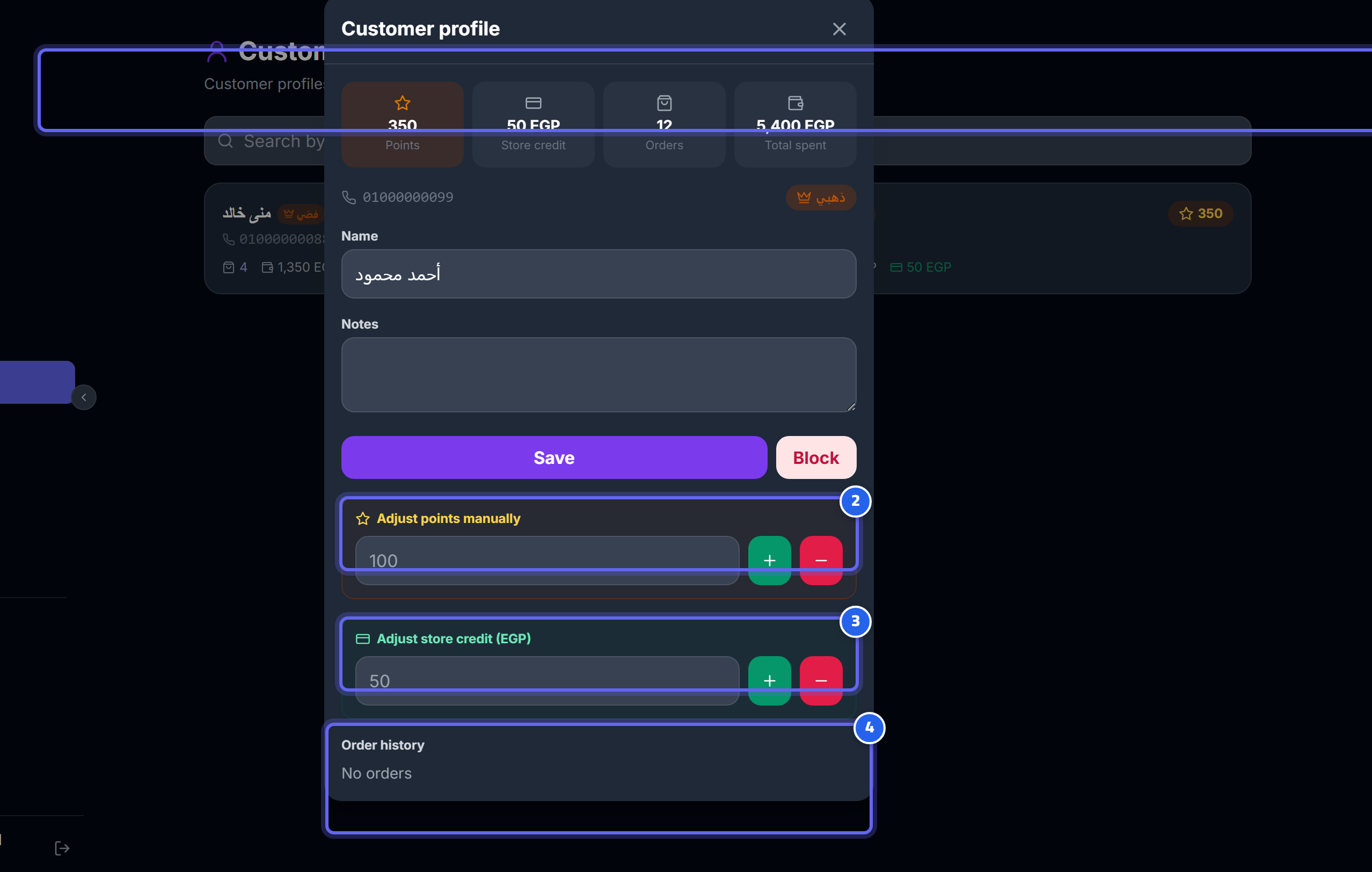
- Points, store credit, number of orders, and total spending
- Adjust the customer's points manually (+/−)
- Adjust store credit manually
- The customer's recent order history
Where to find it
Admin Panel → sidebar → "Customers".
Automatic registration
Any order that includes a phone number registers or updates the customer automatically: - The name, address, and area are taken from the delivery details. - The system accumulates for the customer: total orders, total spending, and last order date.
💡 You don't need to enter any data by hand; the profile builds itself with every order.
Search
Search by name or phone number to reach any customer quickly.
Customer card
Each customer appears in a card with these columns:
| Field | Meaning |
|---|---|
| Name | The customer's name |
| Phone | The customer's phone number |
| Points ⭐ | Accumulated loyalty points |
| Total spending | The total the customer has spent |
| Number of orders | The customer's order count |
| Store credit | The credit available to them with you |
| Tier 👑 | The customer's tier |
Customer details
Open the card so you can: - Edit the name and notes. - Block/unblock the customer. - Adjust points. - Adjust store credit. - View the recent order history.
⚠️ Note: This page is available to the owner, admin, and manager only.
💡 Right-to-erasure is supported: you can delete any customer's data if they request it, and this feature is available to the owner and admin.