Setting Up Tables and Categories
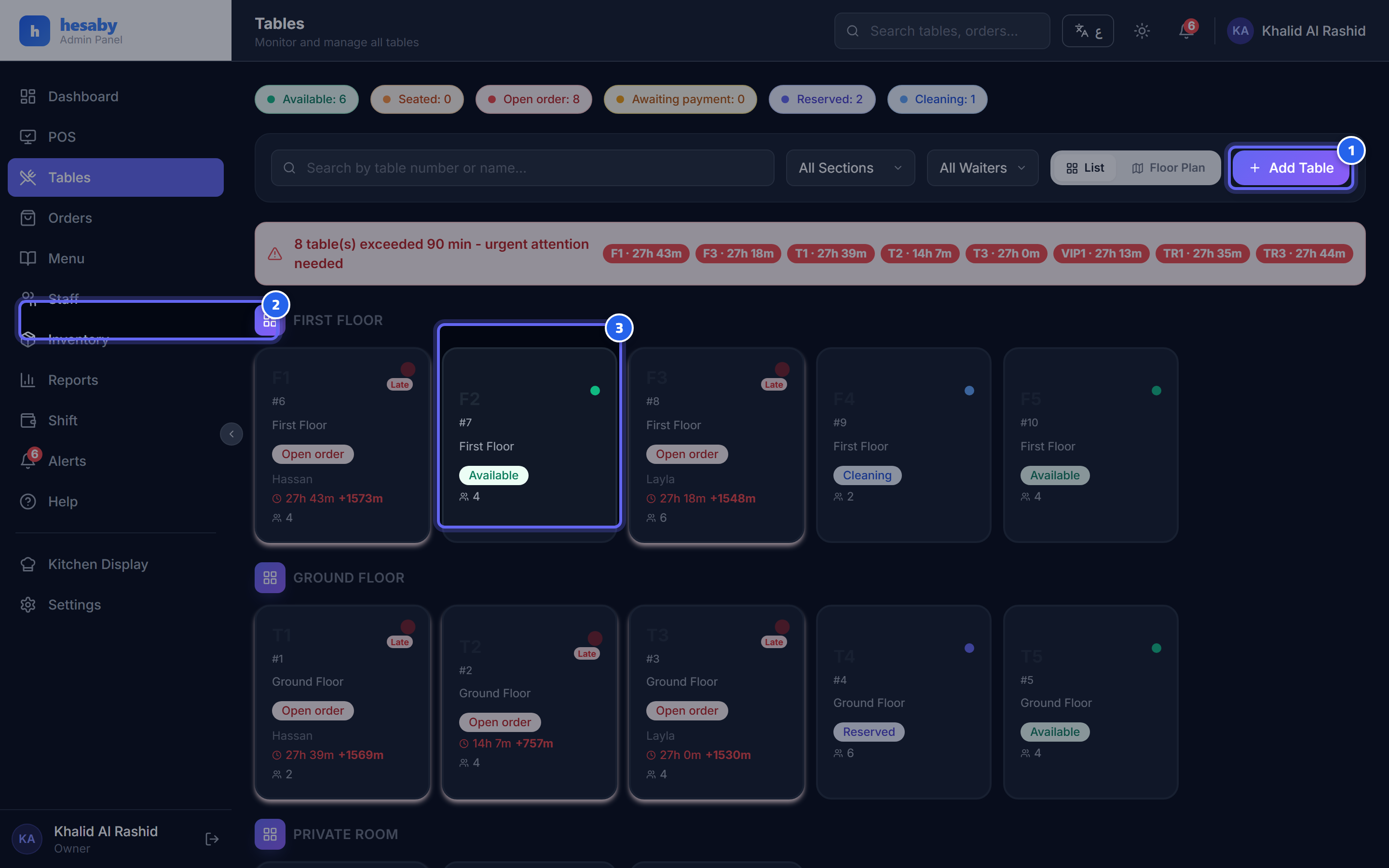
- Tap "Add Table" to add a new table
- Tables are grouped by category, such as "Indoor" and "Terrace"
- The table card color shows its status (available, active, cleaning, and so on)
Adding Tables
- Admin Panel → Tables → Add Table.
- Set the table number and the category/area (for example: Indoor, Terrace, VIP).
- Save. Repeat for all your tables.
Table Statuses
| Status | What it means |
|---|---|
| Available | Empty and ready |
| Seated | Has guests who haven't ordered yet |
| Active | Has an open order |
| Reserved | Has been reserved |
| Cleaning | Paid/closed and waiting to be cleaned |
Tip
Organize tables by category to match your real floor so waiters can find them quickly.
Next: Table QR Codes